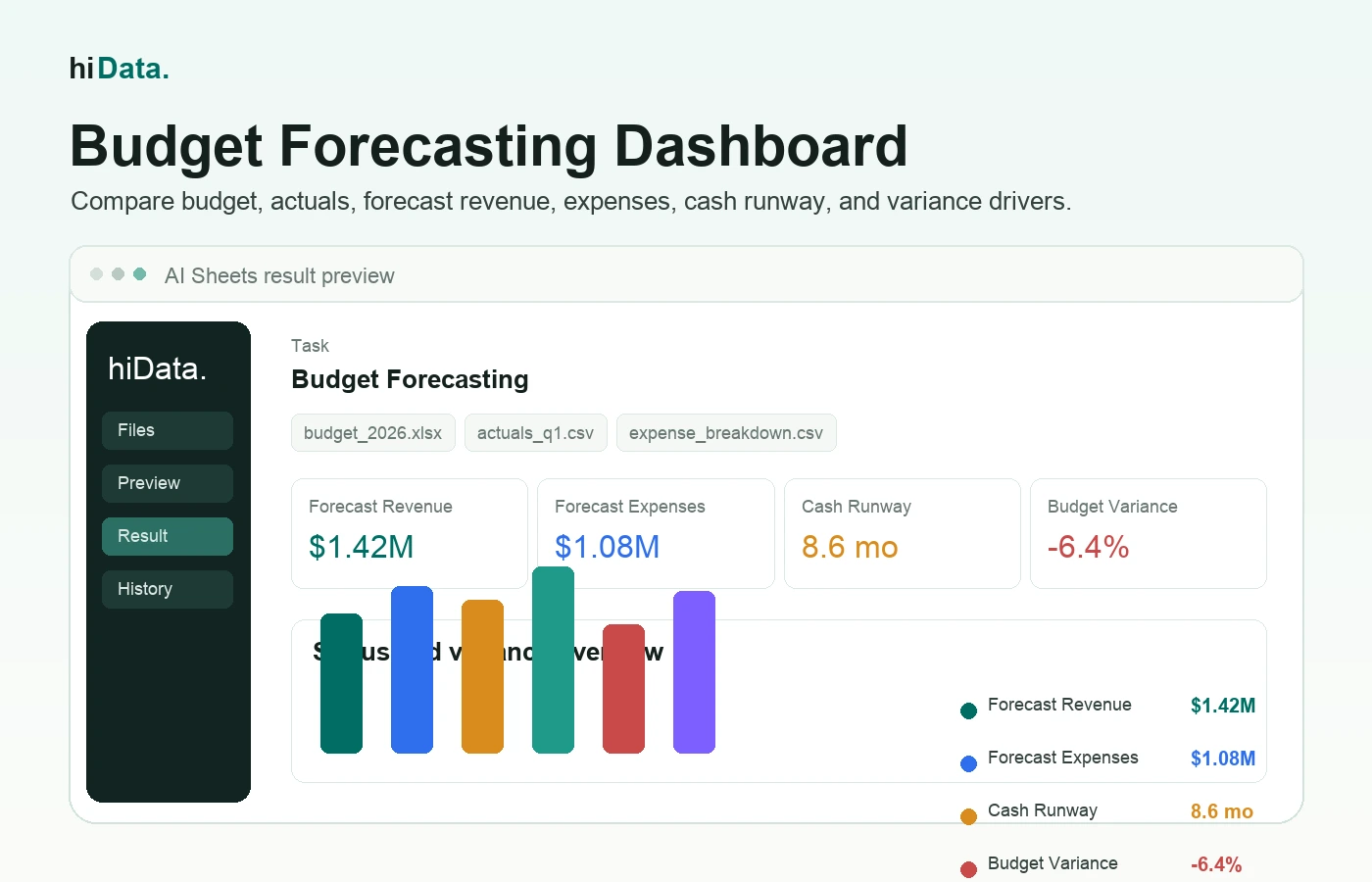
At the start of the year, a budget is a commitment. By the time the second monthly close is finished, it is already becoming a benchmark.
Revenue timing shifts. Hiring dates move. A software renewal lands earlier than expected. A sales plan that looked conservative in January may look optimistic in March. Finance does not only need to explain the variance. It needs to show what happens to the rest of the year if the new pattern continues.
Budget forecasting is the process of using actual results, historical data, and planning assumptions to update the expected future budget position. It helps teams compare what they planned, what actually happened, and what they should expect next.
Quick answer: Budget forecasting updates an approved budget with actual results and new assumptions so finance teams can estimate future revenue, expenses, cash needs, and budget variance before decisions become urgent.
This guide explains budget forecasting from a finance review perspective: budget baseline, actuals, variance drivers, assumptions, scenarios, forecast refresh, and the review pack leaders need before changing spending or targets.
For a broader planning and reporting framework, see the guide to AI for FP&A, including governed workflows for forecasting, variance analysis, scenarios, and management reporting.
Last updated: August 6, 2026.
Key takeaways
- A budget is the plan; a forecast is the updated view. The budget sets targets. The forecast changes as actual results and assumptions change.
- Forecasting is most useful when it changes a decision. A good forecast helps teams adjust spending, hiring, purchasing, cash planning, or revenue targets.
- Budget vs actual analysis is the starting point. Before forecasting forward, finance needs to know whether the variance is timing, one-time, recurring, or structural. A structured budget variance analysis in Excel helps classify and document those gaps.
- Assumptions are the forecast. Revenue growth, hiring dates, vendor renewals, churn, payment timing, and price changes should be visible enough for leaders to challenge.
- No single method fits every line item. Payroll, rent, revenue, marketing, inventory, and cash flow often need different forecasting logic.
- A useful output is a forecast review pack. The final deliverable should show baseline, actuals, forecast, scenario risk, and recommended decisions.
What is budget forecasting?
Budget forecasting means estimating future financial results by combining the original budget with current performance and updated assumptions.
For example, a company may set an annual marketing budget in January. By April, paid acquisition costs are higher than expected, one campaign is underperforming, and the sales team wants to shift spend into a better channel. A budget forecast helps the team estimate what full-year spend and revenue may look like if those patterns continue.
Budget forecasting usually covers:
- Revenue forecast
- Expense forecast
- Payroll or headcount forecast
- Cash flow forecast
- Department-level spending forecast
- Budget vs actual variance
- Scenario planning
- Rolling forecasts
The goal is not to predict the future perfectly. The goal is to update the plan early enough for the team to act.
Budgeting vs forecasting
Budgeting and forecasting are connected, but they are not the same.
| Area | Budget | Forecast |
|---|---|---|
| Main purpose | Set the plan and targets | Update expectations based on new information |
| Typical timing | Created before a period begins | Updated during the period |
| Inputs | Strategic goals, planned spending, targets | Actual results, trends, assumptions, known changes |
| Output | Approved plan | Expected outcome |
| Best use | Accountability and resource allocation | Decision-making and course correction |
A budget may say the business plans to spend $120,000 on software this year. A forecast may show that actual software spend is tracking toward $145,000 because new seats were added faster than expected.
Both numbers matter. The budget shows what the team committed to. The forecast shows where the team may end up.
Why budget forecasting matters to finance reviews
Static budgets become less useful as soon as conditions change. Forecasting keeps the plan connected to reality.
A practical budget forecast helps finance answer review questions like:
- Are we likely to exceed the annual budget?
- Which departments are above or below plan?
- Is revenue tracking high enough to support planned spending?
- Which cost categories are driving the biggest variance?
- How much cash may we need in the next three to six months?
- What happens if revenue is 10% lower than expected?
- Which assumptions changed since the last forecast?
- Which decisions should change before the next close?
For finance teams, the value is not only reporting. The value is giving leaders enough warning to make better tradeoffs while there is still time to act.
If the forecast shows a cash shortfall in four months, the team may slow hiring, renegotiate vendor terms, reduce discretionary spend, or change the sales plan. If the forecast shows stronger-than-expected demand, the team may approve more inventory, staffing, or marketing investment.
What data belongs in a forecast review pack?
Start with the data that explains the gap between plan and the current expected landing point.
| Forecast input | Common fields | Review question |
|---|---|---|
| Budget baseline | account, department, month, planned amount | What did we commit to? |
| Closed actuals | account, department, month, actual amount | What has already happened? |
| Revenue drivers | customer, product, pipeline, region, booking date, revenue date | Is the revenue plan still credible? |
| Expense run rate | vendor, category, department, month, amount | Which costs are now recurring? |
| Headcount plan | employee, role, department, start date, fully loaded cost | How do hiring moves change future spend? |
| Cash timing | opening balance, collections, payments, payment terms | Where could cash tighten? |
| Assumption log | owner, assumption, old value, new value, reason | What changed, who owns it, and why? |
The data does not have to be perfect at the beginning. But it does need to be consistent enough to compare month, department, account, and scenario.
Before forecasting, check:
- Are the budget and actuals using the same account names?
- Are dates grouped by the same months or periods?
- Are departments and cost centers standardized?
- Are one-time expenses separated from recurring expenses?
- Are cancelled, duplicated, or reclassified transactions handled correctly?
Messy inputs create misleading forecasts. Cleaning the structure is part of the forecasting work.
Common budget forecasting methods
Different parts of the budget need different methods. A simple forecast may combine several approaches.
| Method | How it works | Best for |
|---|---|---|
| Historical trend | Extends past patterns into future periods | Stable revenue or expense categories |
| Run-rate forecast | Uses recent actuals to estimate the rest of the year | Recurring operating expenses |
| Driver-based forecast | Uses business drivers such as headcount, units sold, or customers | Payroll, sales, support, inventory |
| Bottom-up forecast | Builds from detailed team or account-level assumptions | Department budgets and hiring plans |
| Scenario forecast | Compares base, best, and downside cases | Uncertain revenue, cash, or demand |
| Rolling forecast | Updates the forecast each month or quarter | Teams that need frequent planning updates |
For example, office rent may be easy to forecast from known contracts. Payroll may need headcount assumptions. Marketing spend may depend on campaign plans. Revenue may need pipeline, seasonality, customer retention, or sales volume assumptions.
The forecast should be simple enough to maintain and detailed enough to support the decision.
A practical budget forecasting process for month-end close
Use this workflow when the team is building a forecast update from spreadsheets or finance exports after close.
- Lock the closed actuals. Do not forecast on top of numbers that are still changing.
- Map actuals to the budget baseline. Align accounts, departments, months, and cost centers before calculating variance.
- Rank the largest variances. Focus review time on the few lines that change the forecast, not every small difference.
- Classify variance type. Separate timing, one-time, recurring, and assumption-driven variance.
- Update the assumption log. Record the new assumption, owner, reason, and effective month.
- Forecast remaining periods. Use run rate, driver-based logic, contract schedules, or scenario inputs by line item.
- Build a base and downside case. Show the impact of slower revenue, delayed collections, higher payroll, or cost overruns.
- Prepare the review pack. Summarize forecast landing point, variance drivers, scenario risk, and decisions needed.
- Roll forward next month. Replace another month of forecast with actuals and repeat.
The most important step is explaining variance. A line item can be over budget for many reasons. It may be a one-time annual payment, a timing shift, a vendor price increase, or a sign that spending discipline is slipping.
Those causes lead to different actions.
Budget forecast example
Imagine a business planned $100,000 in monthly revenue and $70,000 in monthly expenses. After three months, actual revenue is behind plan, while software and contractor costs are above plan.
The team wants to forecast the next quarter.
| Line item | Monthly budget | Recent actual average | Forecast assumption | Next-month forecast |
|---|---|---|---|---|
| Revenue | $100,000 | $92,000 | Pipeline improves by 5% | $96,600 |
| Payroll | $42,000 | $42,000 | No headcount change | $42,000 |
| Software | $8,000 | $10,500 | New seats remain active | $10,500 |
| Contractors | $6,000 | $9,000 | Project continues one more month | $9,000 |
| Marketing | $12,000 | $11,000 | Hold spend steady | $11,000 |
| Other expenses | $2,000 | $2,300 | Use recent run rate | $2,300 |
The original budget expected $30,000 of monthly operating surplus:
$100,000 revenue - $70,000 expenses = $30,000 planned surplus
The updated forecast shows:
$96,600 revenue - $74,800 expenses = $21,800 forecast surplus
The forecast is not saying the business is in trouble. It is saying the margin for the next month is lower than the budget suggested.
A useful review summary might say:
- Revenue is still below plan, but improving.
- Software spend appears to be a recurring increase, not a one-time issue.
- Contractor spend is temporary, but should be reviewed if the project extends.
- The next-month surplus is forecast to be $8,200 lower than budget.
- Leadership should decide whether to accept lower surplus, delay discretionary spend, or adjust the revenue plan.
That is what makes forecasting useful: it turns variance into decisions.
Common mistakes to avoid
Budget forecasting can become complicated quickly. Watch for these problems:
- Treating the annual budget as current reality. A budget is a baseline, not a live view.
- Using one method for every line item. Payroll, rent, revenue, and marketing should not always be forecast the same way.
- Ignoring timing differences. A quarterly payment can look like overspending if the forecast treats it as monthly run rate.
- Mixing one-time and recurring costs. A one-time legal fee should not automatically inflate the rest of the year.
- Forgetting assumptions. A forecast without visible assumptions is hard to review or trust.
- Skipping scenario planning. A single forecast can hide risk when revenue or costs are uncertain.
- Not comparing budget vs actuals first. Forecasting forward without understanding current variance leads to weak decisions.
A forecast should be reviewable by someone who did not build it. If the logic cannot be explained, the team will not trust the output.
How spreadsheet analysis supports a forecast review pack
Many finance teams still build forecast reviews from Excel files, CSV exports, accounting reports, headcount trackers, and department spreadsheets. The slow work is not "making a chart." The slow work is reconciling the forecast story.
Typical review-pack questions include:
- Which line items changed the full-year landing point?
- Which variance is timing vs recurring?
- Which departments are driving the forecast change?
- What changed since the previous forecast version?
- What happens to cash if collections slip by 30 days?
- Which assumptions should leadership approve or challenge?
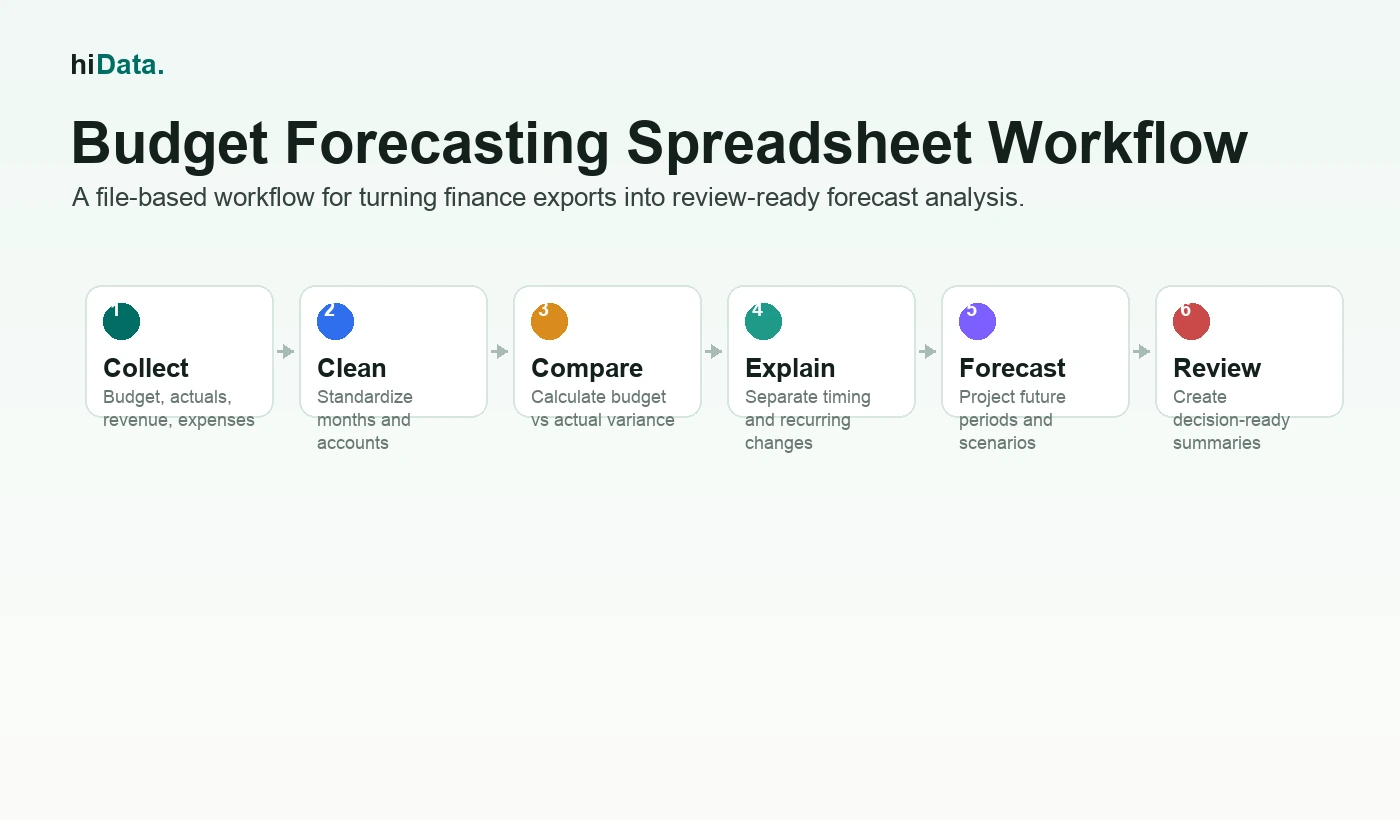
Budget, actuals, and assumption files can be reviewed together instead of reconciled by hand.
For example, a team using hiData AI Sheets can upload budget, actuals, revenue, expense, headcount, and cash-flow spreadsheets and ask:
- Build a budget vs actual bridge by department.
- Identify the top five changes to the full-year forecast.
- Separate one-time expenses from recurring run-rate changes.
- Create a base, downside, and stretch forecast table.
- Summarize the assumption changes since last month.
- Draft a finance review summary for leadership.
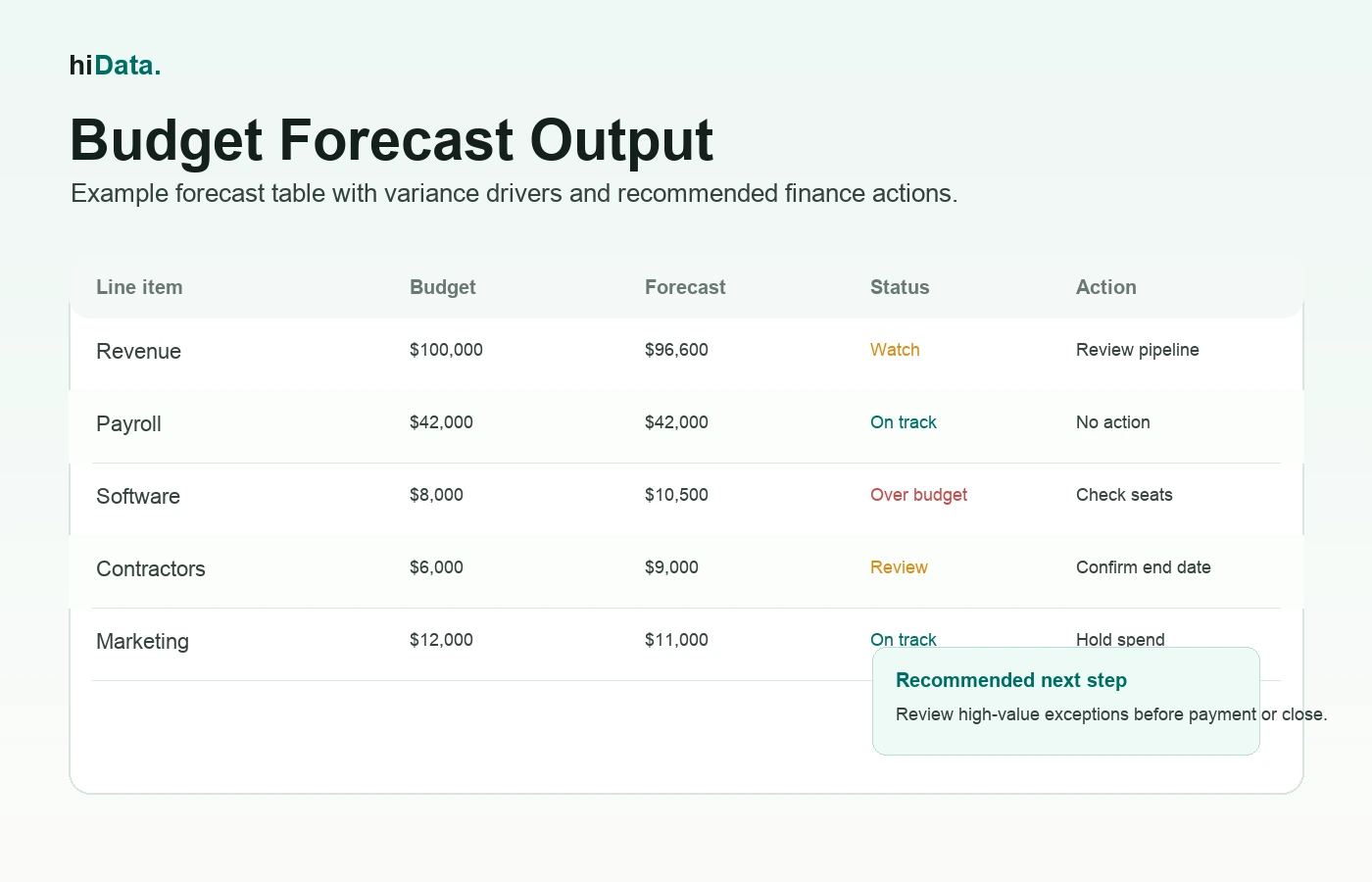
A forecast review should make variance drivers and updated assumptions easy to inspect.
The output may be a variance bridge, assumption log, scenario table, chart, dashboard, or review narrative. The boundary matters: this supports analysis from provided files, but it is not a replacement for a governed FP&A planning system unless the team implements that workflow.
Choosing a budget forecasting workflow
The right workflow depends on the planning problem.
If the team needs formal planning cycles, version control, department owner workflows, ERP integration, approvals, and enterprise reporting, a dedicated FP&A or budgeting platform may be the right fit.
If the team already has budget and actuals exports and mainly needs a faster review pack, an AI spreadsheet workflow can be a practical starting point.
Useful questions include:
- Can the tool work with Excel, CSV, and exported finance files?
- Can it compare budget and actuals by month, account, and department?
- Can non-technical users ask questions in plain English?
- Can it show assumptions clearly?
- Can it separate one-time variance from recurring run-rate changes?
- Can it create variance bridges, scenario tables, and review summaries?
- Can the team export results for leadership review?
- Does the tool avoid claiming more automation than it can support?
If you are comparing spreadsheet-based options, this guide to AI spreadsheet tools can help.
Sources and further reading
For broader financial planning context, see the GFOA guidance on financial forecasting in the budget preparation process and Investopedia's explanation of budgeting vs financial forecasting. These sources are useful background, while this article focuses on spreadsheet-based budget forecasting workflows for teams that need practical variance review.
FAQ
What is budget forecasting in simple terms?
Budget forecasting means updating the expected financial plan based on actual results, historical data, and new assumptions. It shows where the business is likely to land compared with the original budget.
What is the difference between budgeting and forecasting?
A budget is the planned target for a period. A forecast is the updated expectation as actual results and assumptions change. The budget answers "what did we plan?" The forecast answers "what do we now expect?"
How often should a budget forecast be updated?
Many teams update forecasts monthly or quarterly. Teams with fast-changing revenue, cash flow, or expenses may update more often.
What data is needed for budget forecasting?
Common inputs include the approved budget, actual revenue and expenses, payroll or headcount data, cash-flow records, historical trends, and planning assumptions.
Can AI help with budget forecasting?
Yes. AI can help clean spreadsheet data, compare budget vs actuals, find variance drivers, generate charts, summarize risks, and prepare forecast review tables. The team should still review assumptions and approve financial decisions.
Conclusion
Budget forecasting helps finance teams keep the plan connected to reality. The budget sets the target, but the forecast shows what may happen next.
The best forecasts do not need to be overly complex. They need clean inputs, visible assumptions, variance explanations, and clear decisions.
If your team already works from budget, actuals, revenue, expense, or cash-flow spreadsheets, hiData AI Sheets can help turn those files into clearer variance summaries and forecast reviews - Analyze your budget variance with AI Sheets.