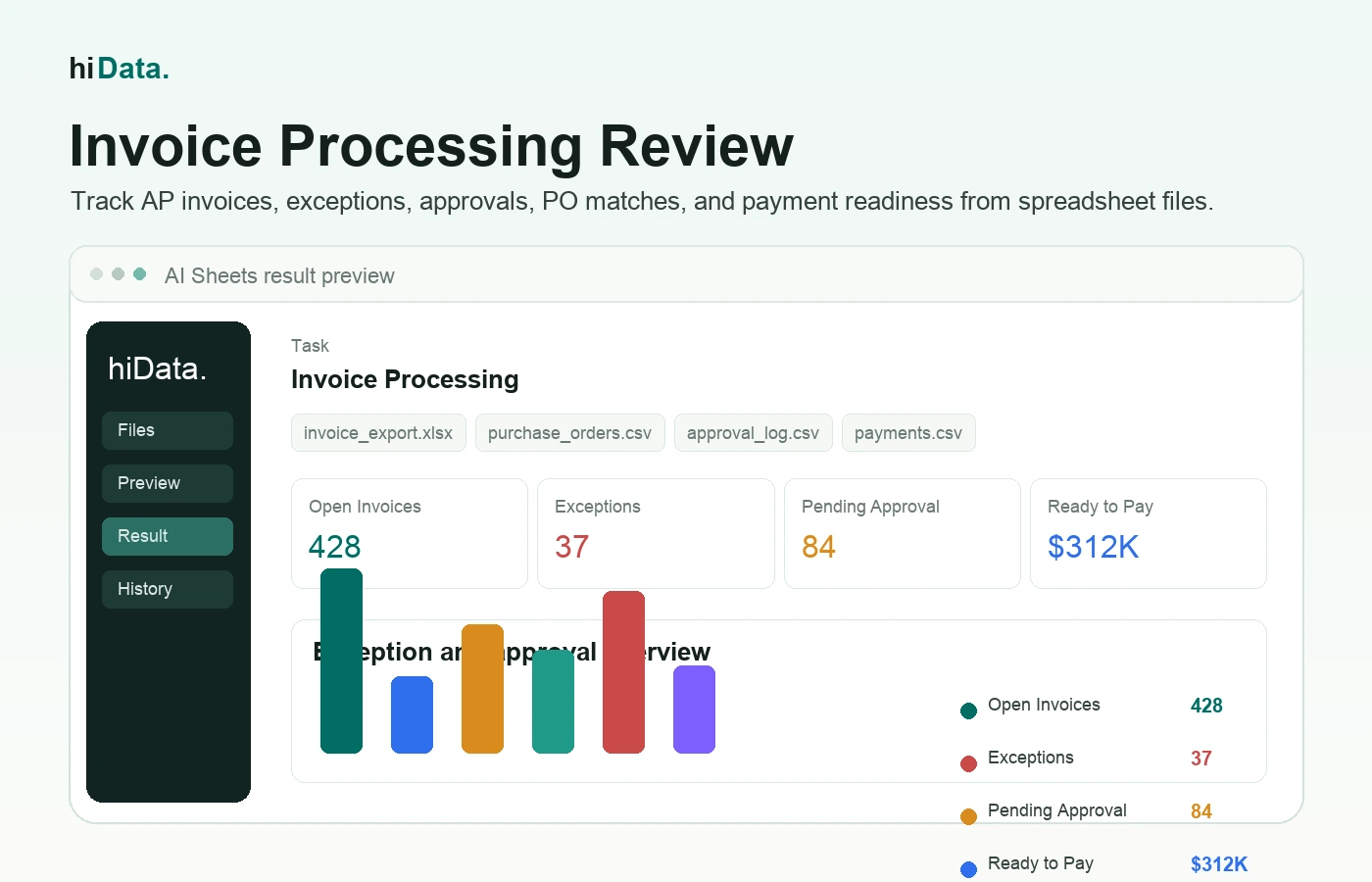
At 4:30 p.m. on a Thursday, an accounts payable inbox can look harmless: a few supplier PDFs, a payment reminder, a forwarded approval, and one invoice marked "urgent."
That is exactly where payment risk hides. One invoice may be a duplicate. Another may have a PO number but no receipt. A third may be valid, but stuck with the wrong approver. The AP team is not simply trying to move invoices faster. It is trying to decide which invoices are clean, which ones need evidence, and which ones should not be paid yet.
Invoice processing is the accounts payable workflow for receiving, reviewing, approving, paying, and recording supplier invoices. It turns a vendor request for payment into a controlled business transaction.
This guide explains invoice processing from an AP control perspective: intake, field capture, matching, approval, exception aging, payment readiness, and the spreadsheet reviews teams often use when the system report does not answer the whole question.
Key takeaways
- Invoice processing is a payment-control workflow. The AP team is deciding whether an invoice is valid, coded, matched, approved, and ready to pay.
- The highest-value view is the exception queue. Missing PO, amount mismatch, duplicate risk, missing receipt, blocked vendor, and late approval should be visible by owner and age.
- PO invoices and non-PO invoices should not be reviewed the same way. PO invoices depend on matching; non-PO invoices depend on coding, policy, contract, and approver evidence.
- Automation helps most when rules are clear. Tools can route, match, and flag invoices, but AP still needs tolerance rules, vendor master controls, and human review for unusual cases.
- Spreadsheet analysis is useful after export. When AP needs to explain bottlenecks across invoices, vendors, approvers, and payment status, structured files can reveal patterns the inbox cannot.
What is invoice processing?
Invoice processing is the set of accounts payable activities used to handle supplier invoices from receipt through payment and recordkeeping.
In a typical business, invoices may arrive by email, supplier portal, PDF, mail, electronic invoice, or internal upload. The AP team then captures key fields, checks the invoice against purchase orders or contracts, routes it for approval, schedules payment, and stores the final record.
Invoice processing usually involves:
- Vendor information
- Invoice number and date
- Due date and payment terms
- Line items, quantities, prices, tax, and shipping
- Purchase order number, if available
- General ledger account or cost center
- Approval owner
- Payment status
- Exception notes
The process is successful when the business can answer three questions:
- Is this invoice legitimate?
- Is the amount correct and approved?
- Is the invoice ready to pay and record?
Why invoice processing matters to AP control
Invoice processing protects cash before money leaves the business.
When invoices are processed well, suppliers are paid on time, duplicate payments are less likely, approvals are easier to track, and month-end close has fewer unresolved accrual questions. When the process is weak, AP teams spend time chasing missing receipts, reopening coded invoices, explaining payment holds, and answering vendor questions that should have been visible earlier.
Good invoice processing helps teams answer practical questions:
- Which invoices are due soon?
- Which invoices are waiting for approval?
- Which vendors have repeated exceptions?
- Are any invoice numbers duplicated?
- Do invoice amounts match the purchase order and receipt?
- Which departments are creating AP bottlenecks?
- Are payment terms being used effectively?
- Which invoices should be reviewed before payment?
The value is control. A fast process is helpful, but a fast process without validation can create payment errors. A strong process answers a more precise question: which invoices can move to payment, and which invoices need evidence first?
Invoice processing workflow at a glance
Most invoice processing workflows follow the same broad pattern, but AP teams should track the status of each invoice as it moves through the queue.
| Queue stage | What AP checks | Status signal |
|---|---|---|
| New invoice | Vendor, invoice number, invoice date, due date, amount | Ready for capture or rejected as incomplete |
| Validation | Vendor master, duplicate invoice number, required fields, payment terms | Clean invoice or validation exception |
| Matching | PO, receipt, contract, service confirmation, tolerance rules | Matched, partially matched, or mismatch |
| Coding | GL account, cost center, project, tax code, department owner | Accounting-ready or coding review |
| Approval | Correct approver, approval age, delegation, rejection reason | Approved, pending, rejected, or escalated |
| Payment hold | Open exception, blocked vendor, disputed amount, cash timing | Hold, release, or cancel |
| Payment ready | Approval complete, match complete, due date, payment run | Ready for payment batch |
| Archive | Invoice, approval evidence, matching notes, payment record | Review-ready AP record |
This queue view is more useful than a generic process diagram because it shows where work is stuck.
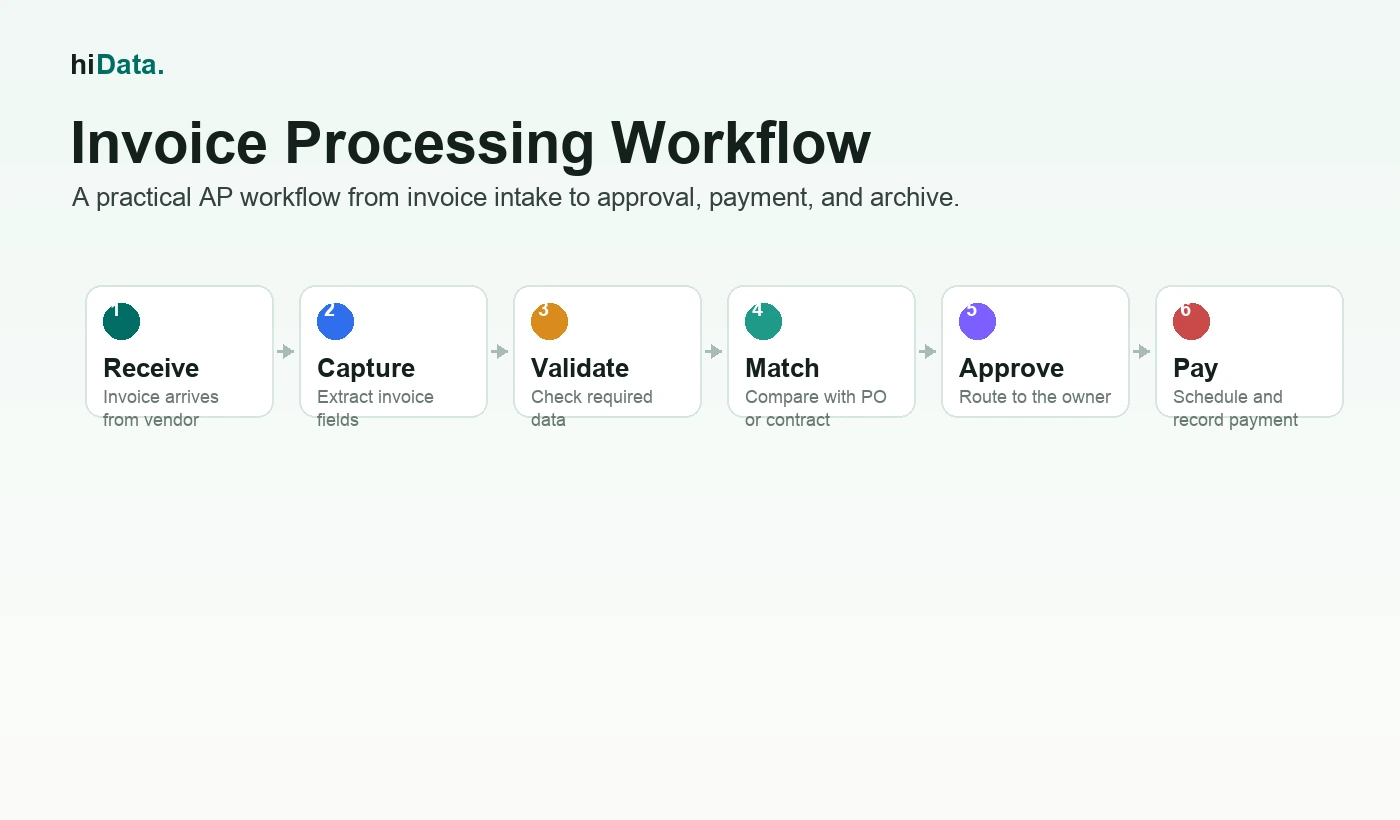
Tracking each invoice by queue stage shows where work is actually stuck.
The main invoice processing steps
1. Receive the invoice
The process begins when the supplier sends an invoice. AP should capture where the invoice came from, which vendor submitted it, and when it was received.
A central intake process matters because invoices scattered across inboxes and local folders are easy to miss.
2. Capture invoice data
The AP team records or extracts the key invoice fields:
- Vendor name
- Vendor ID, if available
- Invoice number
- Invoice date
- Due date
- Currency
- Line items
- Tax and shipping
- Total amount
- PO number or contract reference
- Payment terms
In manual workflows, this may mean typing data into an accounting system or spreadsheet. In automated workflows, OCR or AI extraction may read fields from PDFs or electronic invoices.
3. Validate required fields
Before approval, the invoice should be checked for missing or suspicious details.
Common checks include:
- Is the vendor approved?
- Is the invoice number present?
- Is the invoice date valid?
- Does the total equal line items plus tax and shipping?
- Is the invoice a duplicate?
- Is the bank or payment information expected?
- Is the PO number required?
Validation prevents weak invoices from moving deeper into the workflow.
4. Match the invoice
Invoice matching compares the invoice with supporting documents.
For PO-based purchases, the common control is three-way matching:
- Purchase order: what was ordered and approved
- Receipt or goods record: what was received
- Invoice: what the vendor wants to be paid
If the invoice amount, quantity, vendor, or item details do not match, the invoice becomes an exception.
For non-PO invoices, matching may rely on contracts, service agreements, department approvals, or policy checks.
5. Code the invoice
Invoice coding assigns the invoice to the right accounting structure, such as:
- General ledger account
- Department
- Cost center
- Project
- Location
- Business unit
- Tax code
Accurate coding matters because invoice data feeds financial reporting, budget tracking, and expense analysis.
6. Route for approval
The invoice is sent to the person or team responsible for approval. The approver may be a department head, budget owner, purchasing manager, finance reviewer, or project owner.
Approval should confirm that the expense is valid, expected, correctly coded, and ready for payment.
7. Resolve exceptions
Exceptions are invoices that cannot move forward without review.
Examples include:
- Missing purchase order
- Amount mismatch
- Quantity mismatch
- Duplicate invoice number
- Unrecognized vendor
- Missing approval owner
- Incorrect tax or currency
- Payment terms discrepancy
Exception handling is often the slowest part of invoice processing because it requires context from purchasing, receiving, operations, or the vendor.
8. Schedule and record payment
Once approved, the invoice is scheduled for payment based on due date, payment terms, cash position, and internal payment runs.
After payment, the invoice should be marked as paid and linked to the payment record. Approved invoices that are still open belong on the accounts payable aging report, which groups them by how overdue they are so payment runs can be prioritized.
9. Archive the invoice record
The final invoice record should include the invoice, approval trail, matching result, coding details, exception notes, and payment status. This record supports close, vendor questions, internal controls, and future review.
PO invoices vs non-PO invoices
Not every invoice follows the same review path.
| Type | What it means | Typical control | Common risk |
|---|---|---|---|
| PO invoice | Invoice references an approved purchase order | Match invoice to PO and receipt | Quantity, price, or receipt mismatch |
| Non-PO invoice | Invoice does not reference a purchase order | Code, policy review, and approver confirmation | Weak approval trail or unclear budget owner |
| Recurring invoice | Repeats monthly or annually, often for software or services | Compare against contract, prior invoices, and expected terms | Price increases or forgotten subscriptions |
| Credit memo | Vendor reduces the amount owed | Match to original invoice or dispute | Credit not applied correctly |
| Prepayment invoice | Payment is requested before goods or services are received | Contract and approval review | Paying before terms are satisfied |
For a deeper purchase workflow context, see this guide to purchase order management.
Common invoice exceptions to track
Manual invoice processing often breaks in predictable places. AP should track these as exception categories, not just as one-off comments.
| Exception | What it looks like | AP action |
|---|---|---|
| Missing PO | Invoice references a purchase but no PO is available | Find PO, request approval, or reclassify as non-PO |
| Amount mismatch | Invoice exceeds PO, contract, or tolerance | Hold payment until owner confirms |
| Quantity mismatch | Vendor bills for more units than received | Check receipt or goods record |
| Duplicate risk | Same vendor, invoice number, amount, or date appears twice | Block payment until duplicate is cleared |
| Missing approver | Invoice has no valid approval owner | Route to department or budget owner |
| Approval aging | Invoice sits in approval longer than policy allows | Escalate or reassign |
| Vendor issue | Vendor is inactive, blocked, or has changed payment details | Verify vendor master before payment |
| Coding conflict | Similar invoices are coded to different accounts | Standardize GL or cost center treatment |
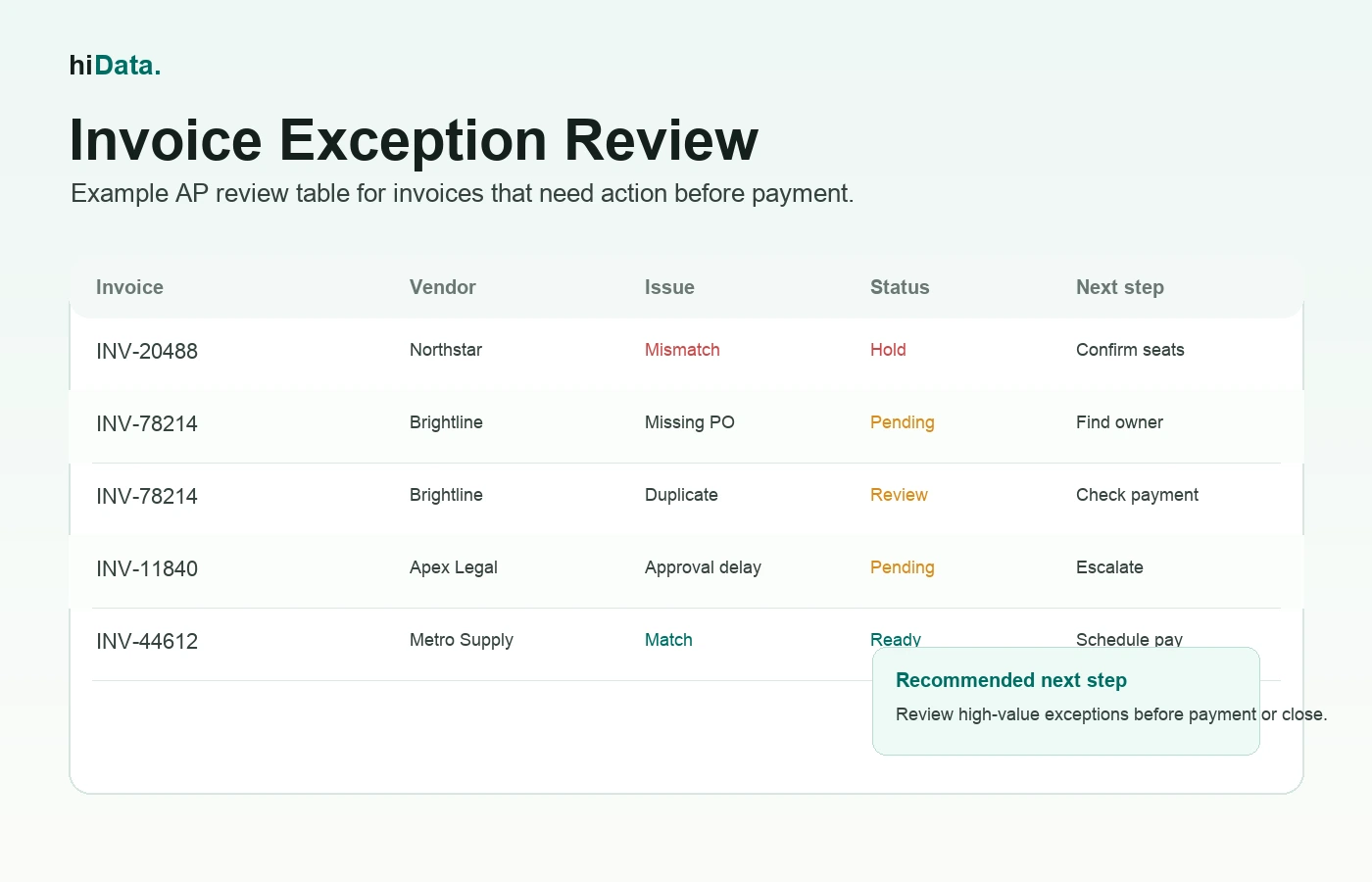
Reviewing the invoice beside its PO and service confirmation is what turns a mismatch into a decision.
The biggest issue is not always one invoice. It is the pattern. If the same vendor repeatedly misses PO numbers, or one department repeatedly approves late, AP needs a queue-level view.
Invoice processing example
Imagine a company receives an invoice from a software vendor for $18,600.
The AP team reviews it against the purchase order and contract:
| Check | Invoice value | Expected value | Result |
|---|---|---|---|
| Vendor | Northstar Software | Northstar Software | Match |
| Invoice number | NS-20488 | Not previously used | Match |
| PO number | PO-7715 | PO-7715 | Match |
| Subscription seats | 155 | 150 | Exception |
| Unit price | $120 | $120 | Match |
| Total before tax | $18,600 | $18,000 | Exception |
| Approval owner | IT Operations | IT Operations | Match |
The invoice is not ready to pay. Most fields match, but the seat count is higher than the PO. The AP team asks IT Operations to confirm whether five extra seats were approved.
The final review summary might say:
- Vendor, invoice number, PO number, and unit price match.
- Invoice includes five more seats than the purchase order.
- Difference is $600 before tax.
- IT Operations should confirm whether the additional seats were authorized.
- Invoice should remain on hold until the exception is resolved.
This is the kind of work that separates invoice processing from simple bill payment. AP is not only moving money. It is checking whether the invoice is valid.
What is automated invoice processing?
Automated invoice processing uses software to reduce manual AP work.
Depending on the tool, automation may help with:
- Invoice intake
- OCR or AI data extraction
- Vendor and invoice validation
- Duplicate detection
- PO matching
- Approval routing
- Exception queues
- Payment scheduling
- ERP or accounting-system posting
- Archive and reporting
Automation is most useful when invoice volume is high, approvals are slow, or AP teams spend too much time entering data and chasing exceptions.
But automation does not remove the need for controls. The team still needs clear approval rules, vendor master data, matching tolerances, exception ownership, and review of unusual invoices.
How spreadsheet analysis helps AP teams review the queue
Even when the company uses an accounting or AP system, the investigation often happens after export. AP may download invoice lists, PO reports, approval logs, vendor files, and payment runs to answer questions the queue screen does not show clearly.
The useful review is not "summarize these invoices." It is more specific:
- Which invoices are on hold, and why?
- Which approvers have the oldest pending invoices?
- Which vendors create the most matching exceptions?
- Which invoices are due this week but still unapproved?
- Which duplicate-risk invoices also appear in the payment file?
- Which non-PO invoices are missing coding or department owner?
For example, a team using hiData AI Sheets can upload invoice, purchase order, vendor, approval, and payment exports, then ask AP review questions in plain English:
- Build an invoice hold report grouped by exception reason.
- Compare invoice totals with PO totals and flag items outside tolerance.
- List invoices due in the next seven days that are still pending approval.
- Find likely duplicates using vendor, invoice number, amount, and date.
- Summarize approval aging by owner and department.
- Create a payment readiness table for the next AP run.
The output may be a hold report, duplicate-risk list, approval-aging summary, payment-readiness table, vendor exception view, or action list.
For a weekly management view, an accounts payable dashboard can combine those exported invoice records with aging, vendor concentration, and payment-priority KPIs while keeping each recommendation traceable to its source row.
The boundary matters: this kind of workflow helps AP analyze exported invoice data. It does not replace invoice capture, approval routing, ERP posting, vendor master control, or payment execution unless those systems are actually connected and governed.
Choosing invoice processing software
The right tool depends on where the invoice process is breaking.
If the team needs invoice intake, OCR capture, approval routing, ERP posting, payment execution, and audit trails, a dedicated AP automation platform may be the right fit.
If the team already has invoice exports and mainly needs faster analysis of exceptions, duplicates, approvals, vendors, and payment status, an AI spreadsheet workflow can be a practical starting point.
Useful questions include:
| Question | Why it matters |
|---|---|
| Can the tool capture invoice data accurately? | Reduces manual entry |
| Can it handle PO and non-PO invoices? | Supports different AP controls |
| Can it detect duplicates and missing fields? | Reduces payment risk |
| Can it compare invoices with POs, receipts, or contracts? | Improves matching |
| Can approval owners see what needs action? | Reduces delays |
| Can finance analyze exceptions by vendor, department, and amount? | Improves AP management |
| Can results be exported for review? | Helps close and reporting |
| Does the tool avoid unsupported claims? | Keeps the workflow trustworthy |
If you are comparing spreadsheet-based options, this guide to AI spreadsheet tools can help.
FAQ
What is invoice processing in simple terms?
Invoice processing is the process of receiving a supplier invoice, checking that it is accurate and approved, paying it when ready, and recording it for accounting and review.
What are the main invoice processing steps?
The main steps are invoice receipt, data capture, validation, matching, coding, approval, exception handling, payment, and archive.
What is accounts payable invoice processing?
Accounts payable invoice processing is the AP team's workflow for handling supplier invoices. It helps the business confirm what it owes, who approved the expense, when payment is due, and how the transaction should be recorded.
What is three-way matching?
Three-way matching compares the invoice, purchase order, and receipt record. The goal is to confirm that what the vendor billed matches what the company ordered and received.
What is an invoice exception?
An invoice exception is any issue that prevents an invoice from being approved or paid automatically. Examples include a missing PO number, duplicate invoice, amount mismatch, missing approver, or unapproved vendor.
How does invoice automation help?
Invoice automation can reduce manual entry, route invoices for approval, detect duplicates, match invoices with supporting documents, and show where invoices are stuck. The exact capabilities depend on the software.
Can AI help with invoice processing?
Yes. AI can help extract, organize, compare, and summarize invoice data. For spreadsheet-based teams, AI can flag duplicates, missing fields, mismatches, overdue approvals, and vendor exception patterns. Finance teams should still review results before approving or paying invoices.
Conclusion
Invoice processing is one of the most important controls in accounts payable. It makes sure supplier invoices are valid, matched, approved, paid on time, and recorded correctly.
The best invoice process is not only fast. It is clear. AP teams need to know which invoices are ready to pay, which ones need review, and why exceptions are happening.
If your team already works from invoice, purchase order, approval, vendor, or payment spreadsheets, hiData AI Sheets can help turn those files into clearer AP exception summaries and review tables - Review invoice exceptions with AI Sheets.